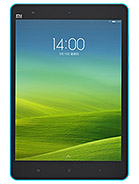
MiPad 1 China official device image

Download MiPad 1 China Firmware (V7.5.2.0.KXFMIDE)

Brand Xiaomi
Codename mocha
Version V7.5.2.0.KXFMIDE
Region Global
Branch Stable
Advertisement

What's New

[Other]Optimized system performanceImproved system security and stability

Android Version

12.0

File Size

615.7 MB

Release Date

Sep 07, 2018

Flash Method

Fastboot

Download ROM

Available
File Size: 0.6 GB
Advertisement

Verification & Details

MD5 Checksum:

da3d0b8d81ea2f3fd57fa478ecae272f

Package Name:

mocha_global_images_V7.5.2.0.KXFMIDE_20160712.0000.26_4.4_global_da3d0b8d81.tgz

How to Flash Fastboot on MiPad 1 China

Please follow these steps carefully to install the V7.5.2.0.KXFMIDE update safely. Ensure your device has at least 60% battery.

  1. Ensure the bootloader of your MiPad 1 China is unlocked.
  2. Download the official Mi Flash Tool and extract it on your PC.
  3. Boot your device into Fastboot mode by holding the Volume Down + Power buttons simultaneously.
  4. Connect the smartphone to your PC using a reliable USB cable.
  5. Extract the downloaded V7.5.2.0.KXFMIDE firmware archive (.tgz file).
  6. Open Mi Flash Tool, select the extracted firmware folder, and click 'Flash'.
Back to MiPad 1 China