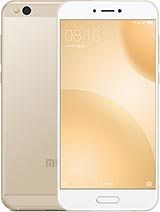
Mi 5C China official device image

Download Mi 5C China Firmware (V11.0.3.0.NCJCNXM)

Brand Xiaomi
Codename meri
Version V11.0.3.0.NCJCNXM
Region Global
Branch Stable
Advertisement

What's New

[Comprehensive design optimized for full screen display devices]Removing visual clutter, improving touch controls, and refining the use of color allowed us to create the system where nothing stands between you and the content<p>[Sounds of nature]Notification sounds won't make you tired. Now, they keep changing dynamically, just like nature does.
Android Version

7.1

File Size

1.5 GB

Release Date

Dec 10, 2019

Flash Method

Recovery

Download ROM

Available
File Size: 1.5 GB

Mirror Downloads (10)

10 mirror(s) available • Click any button to download
Advertisement

Verification & Details

MD5 Checksum:

98c238d06606c380bedfb266c008d36f

Package Name:

meri_images_V11.0.3.0.NCJCNXM_20191125.0000.00_7.1_cn_0eb3e99e93.tgz

How to Flash Recovery on Mi 5C China

Please follow these steps carefully to install the V11.0.3.0.NCJCNXM update safely. Ensure your device has at least 60% battery.

  1. Download the V11.0.3.0.NCJCNXM Recovery ROM (.zip file).
  2. Transfer the file to the internal storage root directory of your Mi 5C China.
  3. Navigate to Settings > About Phone > System Update.
  4. Tap the OS logo 10 times to enable advanced features.
  5. Tap the top-right menu icon and select 'Choose update package'.
  6. Select the downloaded zip file and wait for the automated installation to complete.
Back to Mi 5C China